Available on every plan, including Free
Orders fulfilled automatically — no manual work
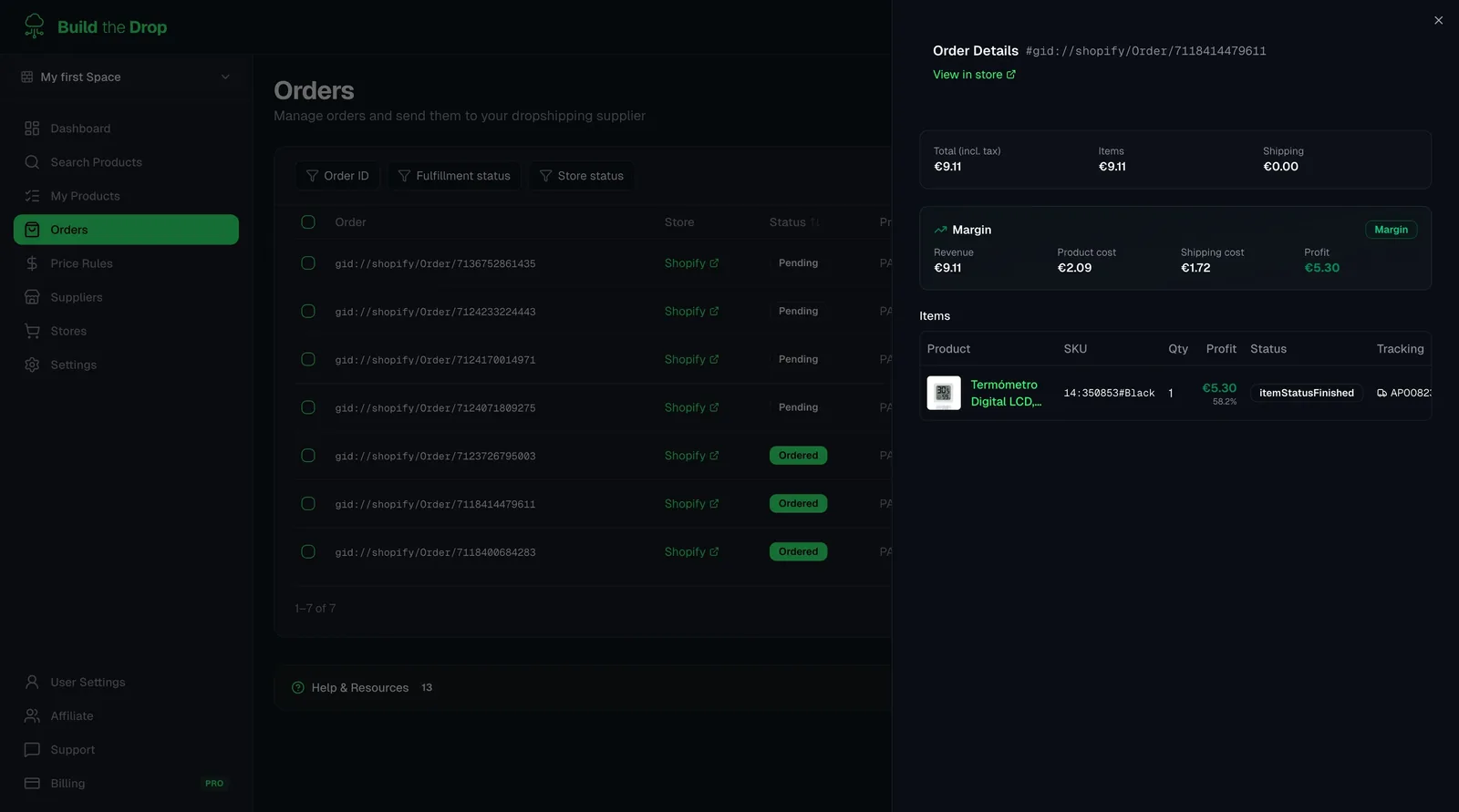
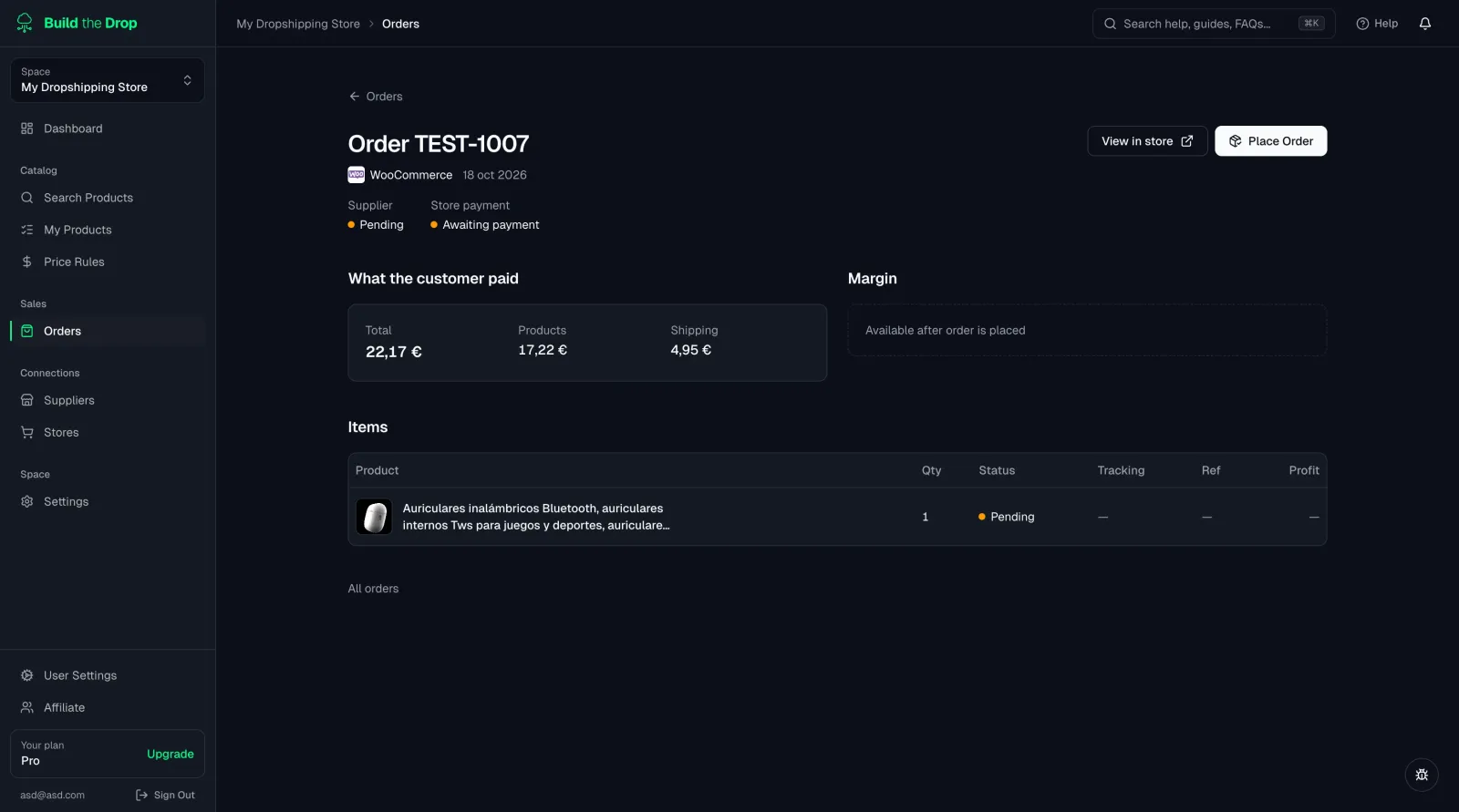
When a customer places an order in your Shopify, WooCommerce or PrestaShop store, Build the Drop handles the rest: it places the order with your supplier and syncs the tracking number back to your store automatically.
What you get with Automatic Order Fulfillment
All the tools you need, built into your dropshipping dashboard.
One-click bulk fulfillment
Process all pending orders at once from your Build the Drop dashboard. No need to log into each supplier, find each order, fill in addresses or copy tracking numbers manually.
Automatic tracking sync
Once AliExpress assigns a tracking number, Build the Drop pulls it automatically and updates the order in your store. On Shopify this triggers the customer shipping notification email; on WooCommerce, which has no native tracking field, the tracking number is added as a customer-visible order note and the order is marked completed.
Order status monitoring
See the status of every order across all your suppliers in one centralized panel: placed, shipped, in transit, delivered. No need to check each supplier separately.
Address mapping & error handling
Customer addresses from your store are mapped to the supplier's format automatically. If there's an address issue, Build the Drop flags the order for review before placing it.
How it works
- 1
Customer places an order in your store
Your Shopify, WooCommerce or PrestaShop store handles checkout, payment and order creation as normal. Build the Drop monitors new orders in real time.
- 2
Build the Drop places the supplier order
With one click (or automatically), Build the Drop places the corresponding supplier order using the customer's address. No copy-paste, no supplier login needed.
- 3
Tracking syncs back to your store
When the supplier ships, the tracking number arrives in Build the Drop and is pushed to the order in your store: as a shipment that notifies the customer on Shopify, or as a customer-visible order note on WooCommerce, which then marks the order completed.
Related guides
How to Connect AliExpress with Your Shopify Store for Dropshipping
Learn how to connect your AliExpress supplier account to your Shopify store using Build the Drop and start automating your dropshipping business.
15 Best Dropshipping Suppliers in Europe (2026, Fast EU Delivery)
15 European dropshipping suppliers compared: where they ship from, stated delivery times, Shopify integration and pricing, plus how to find EU stock on AliExpress.
How to set your Build The Drop shipping rates
Set what your customers pay for shipping on the products Build The Drop sends, so checkout in your Shopify store always offers shipping.
Import Orders and Export Products and Orders with CSV
Store without an integration? Export your products to list them, upload your orders as CSV so Build the Drop sends them to the supplier, and export tracking.
Frequently asked questions
Automate your order workflow today
Connect your suppliers and your Shopify, WooCommerce or PrestaShop store and let Build the Drop handle every order from purchase to tracking.