Available on every plan, including Free
Process hundreds of orders with one click
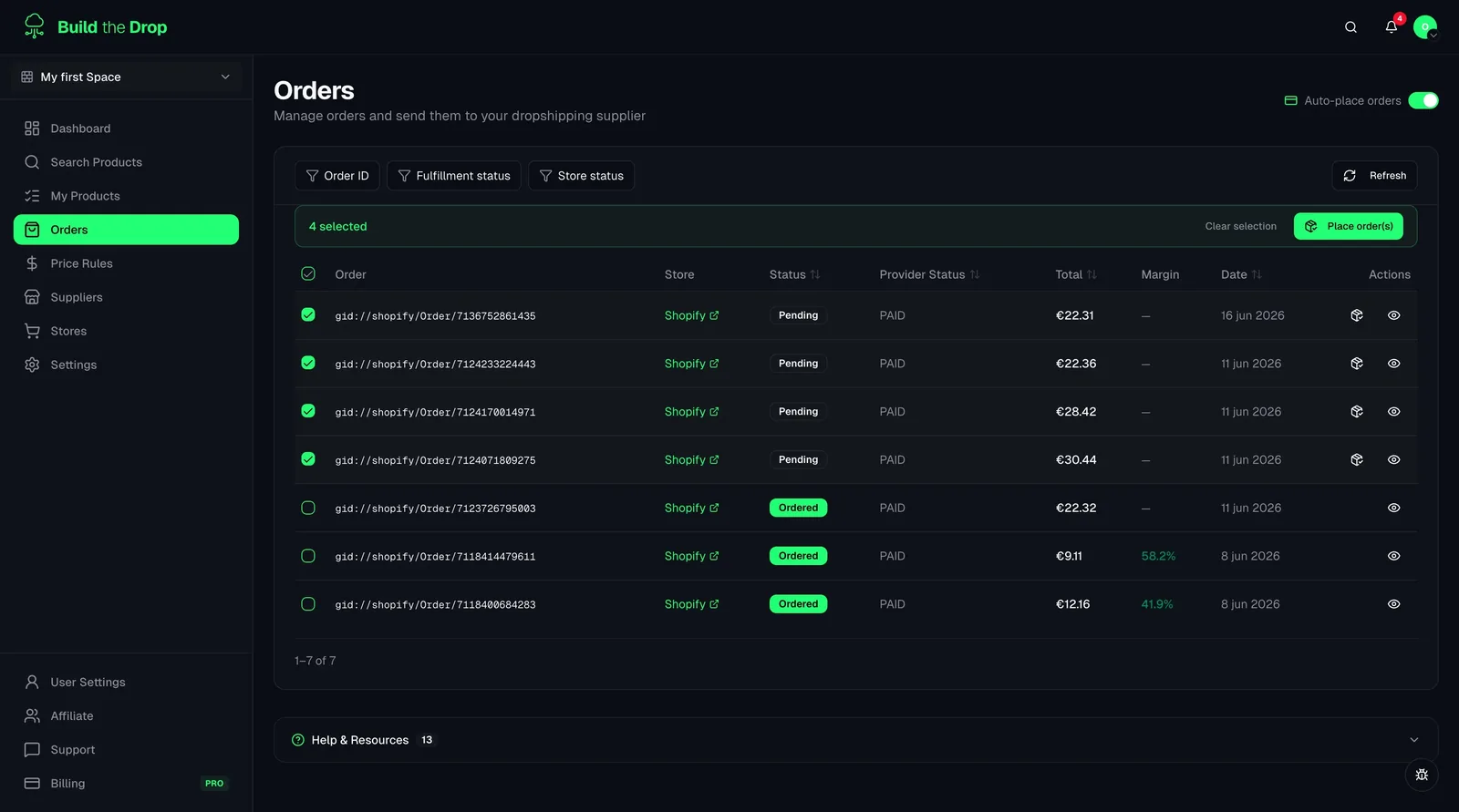
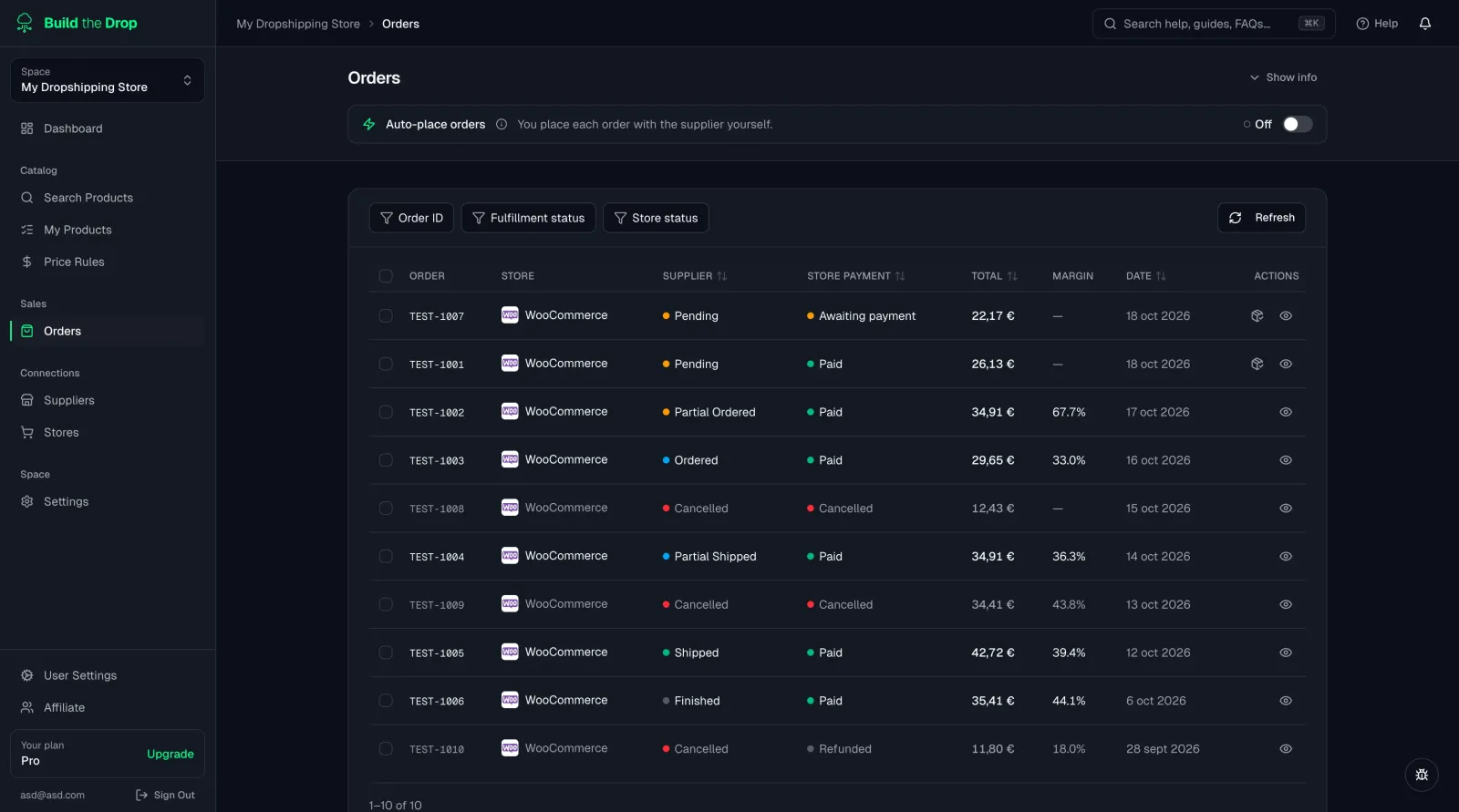
As your store scales, manual order processing becomes the bottleneck. Build the Drop's bulk order engine lets you fulfill all pending orders in a single action — across all connected suppliers simultaneously.
What you get with Bulk Order Processing
All the tools you need, built into your dropshipping dashboard.
Bulk select and fulfill all pending
Select all unprocessed orders (or filter by supplier, date or status) and dispatch them all to your suppliers in a single click.
Multi-supplier in one action
If an order contains products from different suppliers, Build the Drop splits and routes them correctly — each supplier gets their portion of the order automatically.
Order error detection
Before submitting bulk orders, Build the Drop checks for address issues, out-of-stock items and payment problems, flagging them for review so bulk-good orders go through without interruption.
Bulk tracking sync
Once suppliers ship, tracking numbers for all bulk orders are pulled simultaneously and sent back to your store at once: Shopify emails the customers, and on WooCommerce each order gets a customer-visible note with its tracking number.
How it works
- 1
Review pending orders in the dashboard
Open the Orders panel in Build the Drop to see all store orders waiting to be fulfilled. Filter by supplier or date.
- 2
Select all and click Fulfill
Select all valid pending orders and click the bulk fulfill button. Build the Drop routes each to the correct supplier.
- 3
Tracking syncs back automatically
As suppliers mark orders as shipped, tracking numbers flow back to your Shopify, WooCommerce or PrestaShop store so customers can follow their parcel — no manual copy-paste.
Related guides
The 5 Best DSers Alternatives to Manage AliExpress Orders
Analyze the best alternatives to DSers in 2026: Build the Drop, Zendrop, Spocket and other options. What features they add and how to migrate without losing your connected products.
AutoDS vs. Build the Drop: Which is the Best Dropshipping Automation Software?
Technical and pricing comparison between AutoDS and Build the Drop: ease of use, import speed, integrations and final verdict for each type of dropshipper.
How to set your Build The Drop shipping rates
Set what your customers pay for shipping on the products Build The Drop sends, so checkout in your Shopify store always offers shipping.
Import Orders and Export Products and Orders with CSV
Store without an integration? Export your products to list them, upload your orders as CSV so Build the Drop sends them to the supplier, and export tracking.
Frequently asked questions
Stop processing orders one by one
Scale your dropshipping without scaling your workload. Bulk fulfillment included in every plan.