Import any product in one click
From AliExpress to Shopify in seconds — not hours
Stop wasting time copying product data manually. Build the Drop imports titles, descriptions, images, variants and pricing to your Shopify store in a single click — with your price rule already applied.
Available on every plan, including Free
1 click
to import any product
Draft
published to Shopify for review
50–2,000
products per space, by plan
An AliExpress importer built for Shopify sellers
Adding AliExpress products to Shopify by hand means copying titles, downloading images, recreating every size and colour variant and working out a price for each one. It takes long enough that testing new products becomes a chore, and small copy mistakes end up in your store: a missing variant, a blurry image, a price that ignores shipping. The slower importing is, the fewer products you can afford to test.
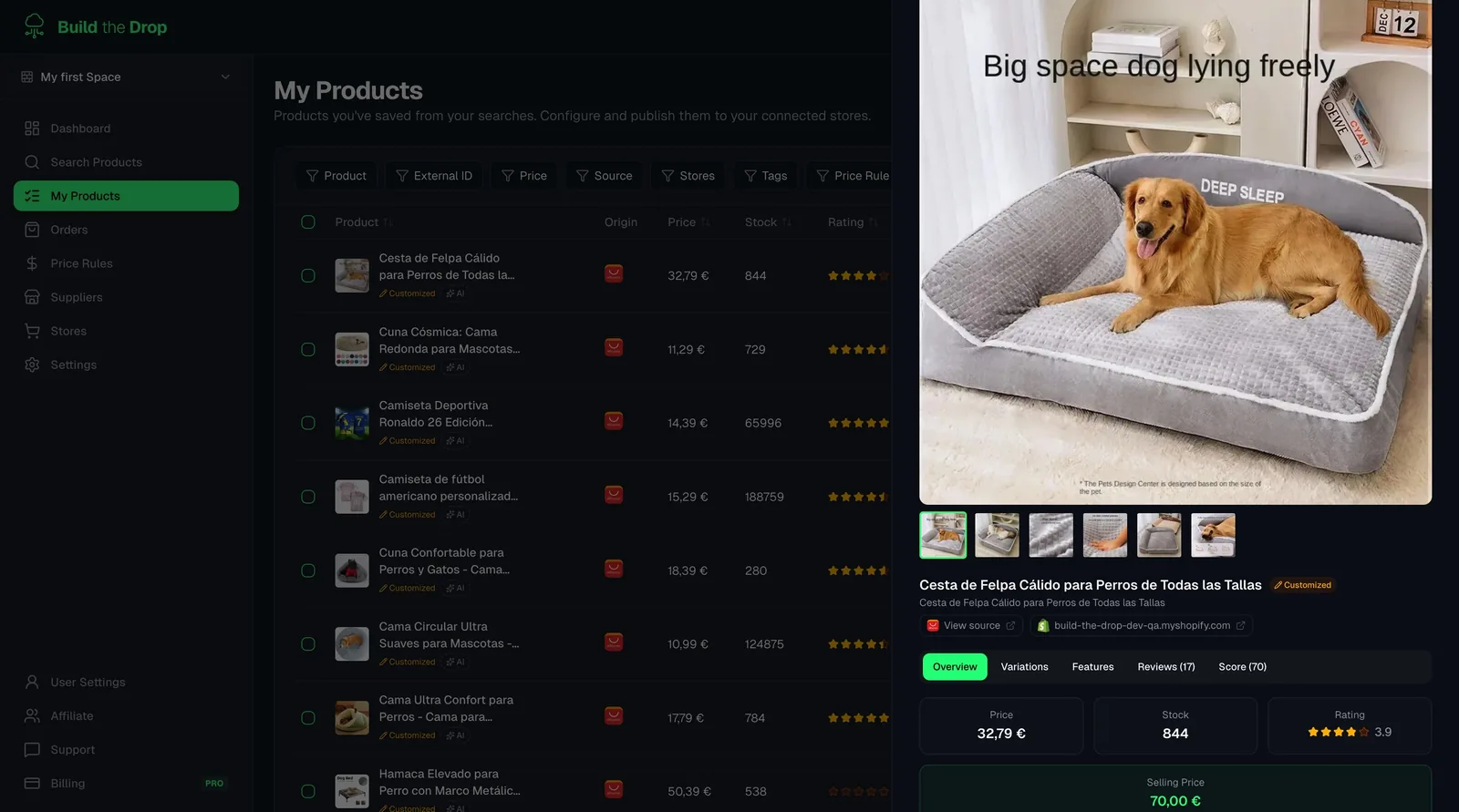
Build the Drop works as your AliExpress importer. Search AliExpress by keyword, or paste a product URL to fetch that exact item, and filter by category and price. Before adding products you can set tags and a price rule that are applied to every import in the session. Products land in your Import List, where you edit the title, description, images, variants, tags and price, then publish to Shopify. They arrive as drafts so you can give them a final check before making them active.
Product import works on every plan, including Free. Plans differ in how many products you can keep per space: 50 on Free, 300 on Starter, 1,000 on Pro and 2,000 on Business. Today Build the Drop connects AliExpress as the supplier and Shopify as the store, so every product you import comes from AliExpress and is published to your Shopify store.
What you get with 1-Click Product Import
All the tools you need, built into your dropshipping dashboard.
Full data import — titles, images, variants
Every product field comes across: main images, variant photos, size/color options, descriptions and supplier specifications. Nothing to fill in manually.
Instant price rule application
Your configured margin formula is applied automatically at import. The Shopify sale price is calculated from the AliExpress cost before the product even lands in your queue.
Import queue — review before publishing
Products land in a staging queue where you can review, edit titles, adjust descriptions and fine-tune before pushing live to Shopify.
Import by URL or keyword search
Find products by keyword inside Build the Drop's integrated AliExpress search, or paste any AliExpress product URL directly to import a specific item.
How it works
Search or paste a URL
Use the integrated AliExpress search inside Build the Drop or paste a direct product URL to import exactly what you found.
Click Import
One click pulls all product data — images, variants, descriptions, pricing — into your import queue with your price rule pre-applied.
Review and publish to Shopify
Check the product in the queue, make any edits, and push it live to your Shopify store. It appears as a fully configured product, ready to sell.
How sellers use the importer
Testing several products in one afternoon
You shortlist candidate products, add them to the Import List with a 'test' tag and your default price rule, tidy the titles and publish them as drafts in one session.
Importing a product you already found
You spotted a product on AliExpress or in a competitor's store. Paste its AliExpress URL into the search and import that exact item instead of scrolling through keyword results.
Preparing a seasonal collection
Before a campaign, you set an auto-add tag such as 'summer' and import a batch of products. They arrive already tagged, ready to group into a Shopify collection.
Related guides
AliExpress Product Importer: Search & Import to Shopify
Use Build the Drop as your AliExpress importer: search by keyword or URL, filter, auto-tag and apply price rules, then push products to Shopify in seconds.
Read guideHow to Connect AliExpress with Your Shopify Store for Dropshipping
Learn how to connect your AliExpress supplier account to your Shopify store using Build the Drop and start automating your dropshipping business.
Read guideHow to Do Dropshipping on Shopify with AliExpress [2026 Tutorial]
Complete tutorial to connect your Shopify store with AliExpress in 2026: finding suppliers, importing products and automating prices and order fulfillment.
Read guideWinning Dropshipping Products 2026: How to Find and Validate Them
How to find winning dropshipping products in 2026: criteria checklist, where to find ideas, step-by-step validation, margin formula and a scoring table.
Read guideFrequently asked questions
Stop copying products manually
Import your first product from AliExpress to Shopify in a few clicks. Free plan available.